
 解读-不支持操作系统解读
# 一、先看结论 修复成功
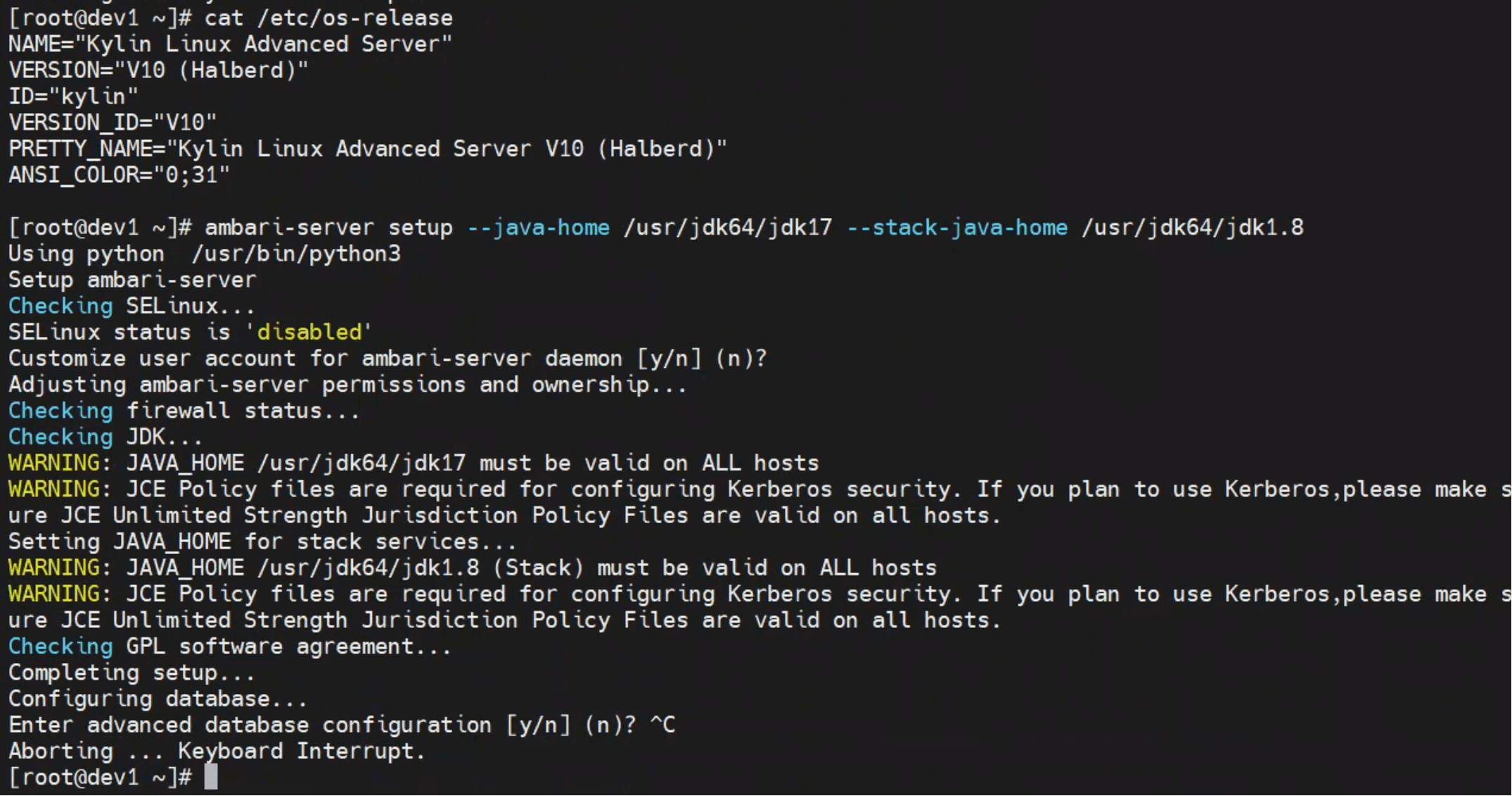
最终结果
通过在代码中增加对 Kylin V10 的识别逻辑,
Ambari 已能正确识别系统为 RedHat 家族,并顺利执行 ambari-server setup。
验证输出如下:
family = redhat
is_redhat_family = True
1
2
2
执行结果:
# 二、问题现象 设置失败
在 Kylin V10 环境执行 Ambari 初始化命令时:
ambari-server setup --java-home /usr/jdk64/jdk17 --stack-java-home /usr/jdk64/jdk1.8
1
屏幕输出如下:
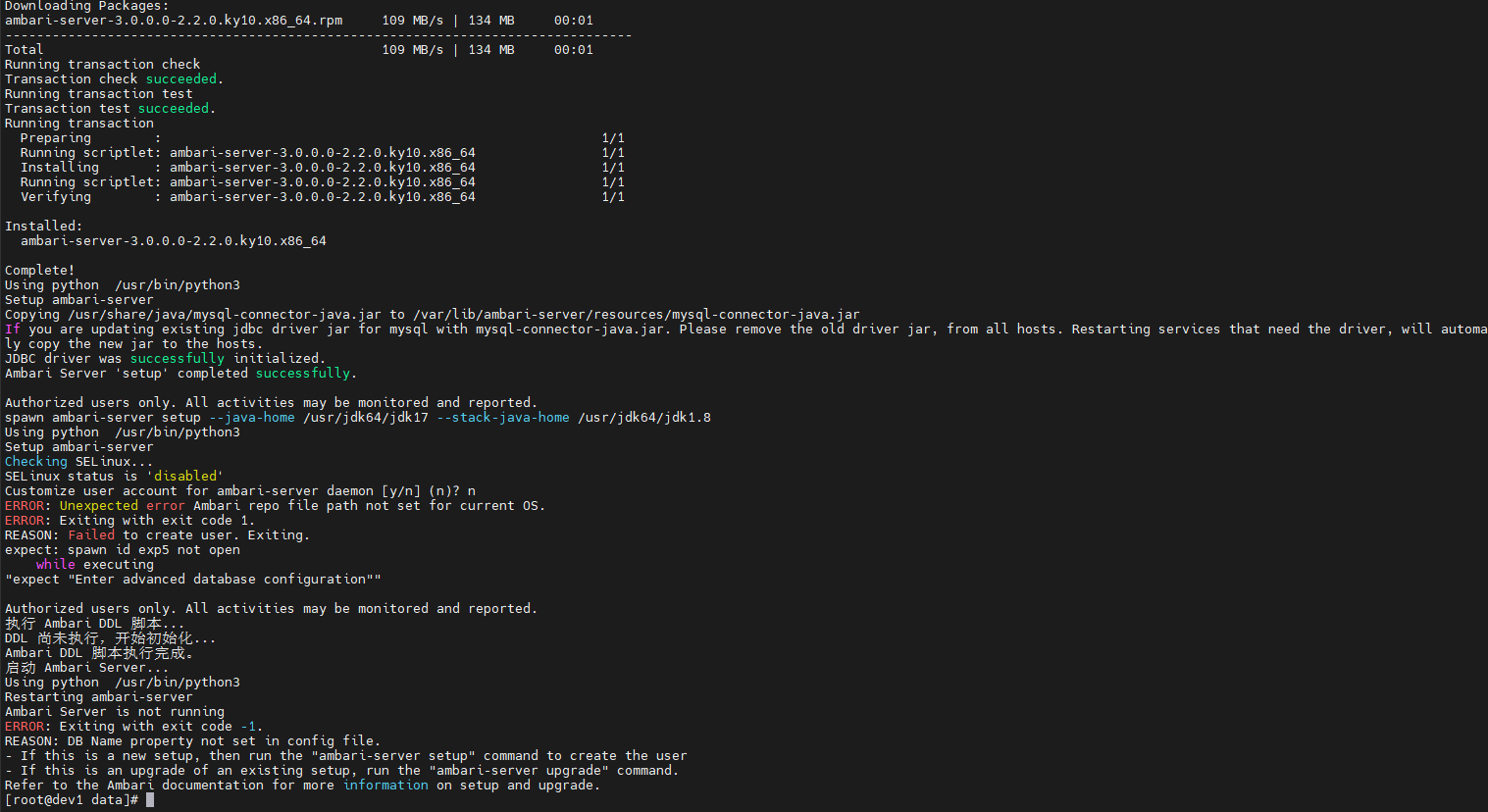
Setup ambari-server
Checking SELinux...
SELinux status is 'disabled'
Customize user account for ambari-server daemon [y/n] (n)? n
ERROR: Unexpected error Ambari repo file path not set for current OS.
ERROR: Exiting with exit code 1.
REASON: Failed to create user. Exiting.
expect: spawn id exp5 not open
    while executing
"expect "Enter advanced database configuration""

Authorized users only. All activities may be monitored and reported.
1
2
3
4
5
6
7
8
9
10
11
12
2
3
4
5
6
7
8
9
10
11
12
报错说明
Ambari 无法识别当前系统的 repo 管理器类型(yum/apt/zypper),
因此无法定位 ambari.repo 的路径,导致安装初始化中断。
# 三、源码追踪:异常触发位置 源码分析
查看堆栈日志与源码,可发现错误来自:
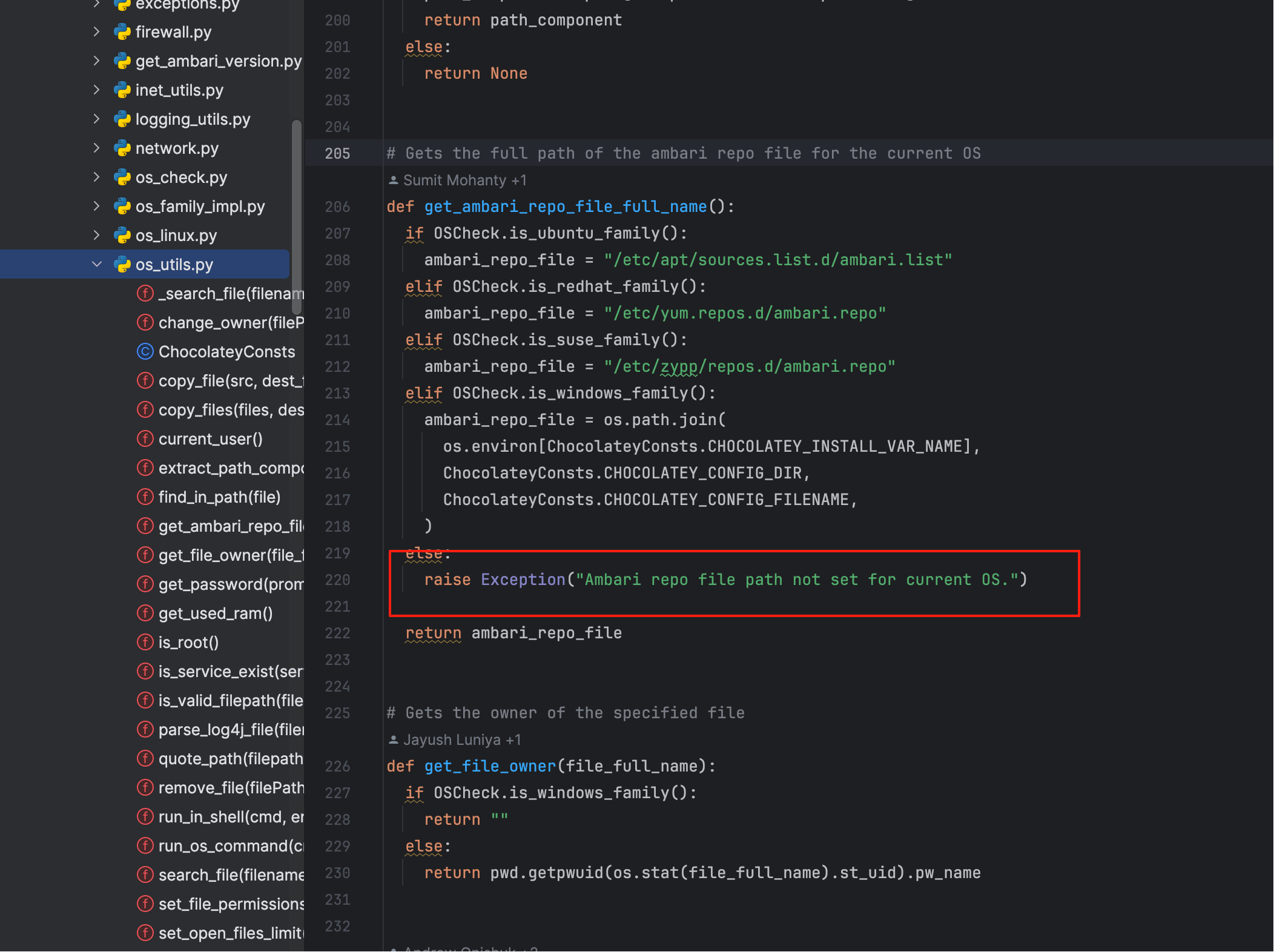
关键函数如下:
def get_ambari_repo_file_full_name():
  if OSCheck.is_ubuntu_family():
    ambari_repo_file = "/etc/apt/sources.list.d/ambari.list"
  elif OSCheck.is_redhat_family():
    ambari_repo_file = "/etc/yum.repos.d/ambari.repo"
  elif OSCheck.is_suse_family():
    ambari_repo_file = "/etc/zypp/repos.d/ambari.repo"
  elif OSCheck.is_windows_family():
    ambari_repo_file = os.path.join(
      os.environ[ChocolateyConsts.CHOCOLATEY_INSTALL_VAR_NAME],
      ChocolateyConsts.CHOCOLATEY_CONFIG_DIR,
      ChocolateyConsts.CHOCOLATEY_CONFIG_FILENAME,
    )
  else:
    raise Exception("Ambari repo file path not set for current OS.")
  return ambari_repo_file
1
2
3
4
5
6
7
8
9
10
11
12
13
14
15
16
2
3
4
5
6
7
8
9
10
11
12
13
14
15
16
由此可见,当 is_redhat_family() 返回 False 时,Ambari 就会直接抛出此异常。
# 四、根因剖析:OSCheck 未识别 Kylin 系统
Ambari 的 OSCheck 模块用于判断系统属于哪个发行版家族:
- 仅识别 redhat、centos、rhel、ubuntu、suse、debian 等主流;
- Kylin V10(中科麒麟)虽然基于 RHEL,但其
/etc/os-release中标识为:
/etc/os-release(Kylin V10)
NAME="Kylin Linux Advanced Server"
VERSION="V10 (Lance)"
ID="kylin"
VERSION_ID="V10"
PRETTY_NAME="Kylin Linux Advanced Server V10 (Lance)"
1
2
3
4
5
2
3
4
5
因此,Ambari 的 get_os_family() 返回值为 unknown,
从而导致 repo 路径无法确定,抛出异常。
# 五、修复思路:让 Ambari 识别 Kylin 属于 RedHat 家族
温馨提示
由于改造的地方较多,需要重新编译生效,纯改python不会生效,请继续阅读 not set for current OS 其他章节,跟着步骤解决
# 六、验证与改造结果 运行成功
输出结果如下:
dist = ('kylin', 'V10', 'Halberd')
type = kylin
family = redhat
is_redhat_family = True
1
2
3
4
2
3
4
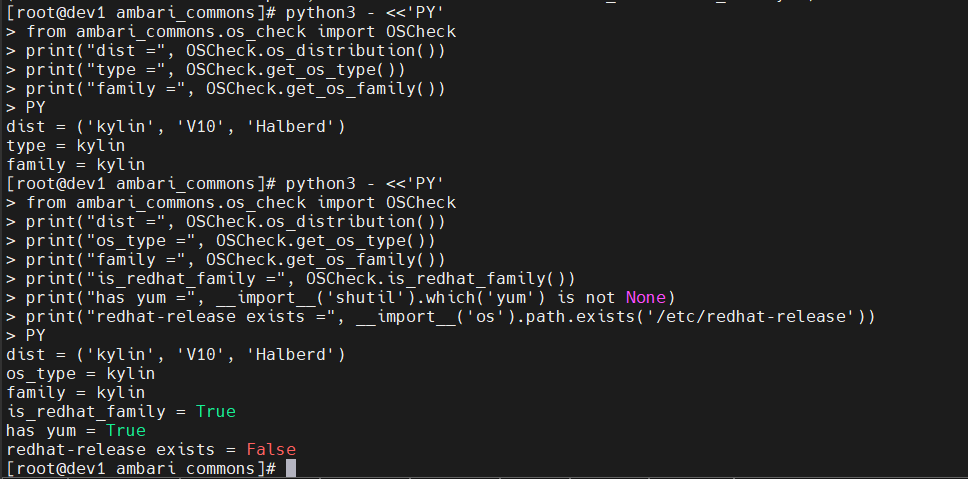
此时 ambari-server setup 已可顺利执行,
系统被识别为 RedHat 系列,Ambari 初始化阶段恢复正常。