
 Step13-Stacks-模板文件
# 1. 模板文件路径与作用
Redis 组件在 Ambari Stacks 下的所有配置文件,最终都是通过模板渲染下发到每个节点的。模板文件位置如下:
ambari-server/src/main/resources/stacks/BIGTOP/3.2.0/services/REDIS/package/templates/redis.conf.j2
1
.j2后缀代表 Jinja2 模板语法。- 通过模板统一管理不同节点、不同角色的参数填充和配置生成。
# 2. redis.conf.j2 模板内容举例
模板文件采用 Jinja2 语法,将所有变量占位,待实际执行时动态渲染为真实参数。 以下是典型模板片段:
# Redis server configuration template

# Redis port configuration
port {{ redis_port }}

# Cluster mode enabled
cluster-enabled {{ cluster_enabled }}

# Cluster configuration file location
cluster-config-file {{ cluster_config_file }}

# Enable append-only persistence (AOF)
appendonly {{ appendonly }}
appendfilename "{{ appendfilename }}"
appendfsync {{ appendfsync }}

# RDB persistence configuration
save {{ save_intervals }}
dir {{ redis_data_dir }}
dbfilename {{ dbfilename }}

# Log file location
logfile {{ redis_log_dir }}/redis.log

# Maximum memory Redis is allowed to use (memory limit)
maxmemory {{ maxmemory }}

# Maximum eviction policy when memory limit is reached
maxmemory-policy {{ maxmemory_policy }}

# PID file location
pidfile {{ redis_pid_dir }}/redis.pid

# Password protection
requirepass {{ redis_password }}

# Daemonize Redis to run in the background
daemonize {{ daemonize }}

# Set the maximum number of connections
maxclients {{ maxclients }}

# Set the timeout for idle connections (in seconds)
timeout {{ timeout }}

# Set the number of databases (default: 16)
databases {{ databases }}

# TCP keepalive to prevent broken connections from accumulating
tcp-keepalive {{ tcp_keepalive }}

# Disable protected mode (caution, ensure proper network restrictions)
protected-mode {{ protected_mode }}
1
2
3
4
5
6
7
8
9
10
11
12
13
14
15
16
17
18
19
20
21
22
23
24
25
26
27
28
29
30
31
32
33
34
35
36
37
38
39
40
41
42
43
44
45
46
47
48
49
50
51
52
53
54
2
3
4
5
6
7
8
9
10
11
12
13
14
15
16
17
18
19
20
21
22
23
24
25
26
27
28
29
30
31
32
33
34
35
36
37
38
39
40
41
42
43
44
45
46
47
48
49
50
51
52
53
54
# 3. 模板渲染与下发过程
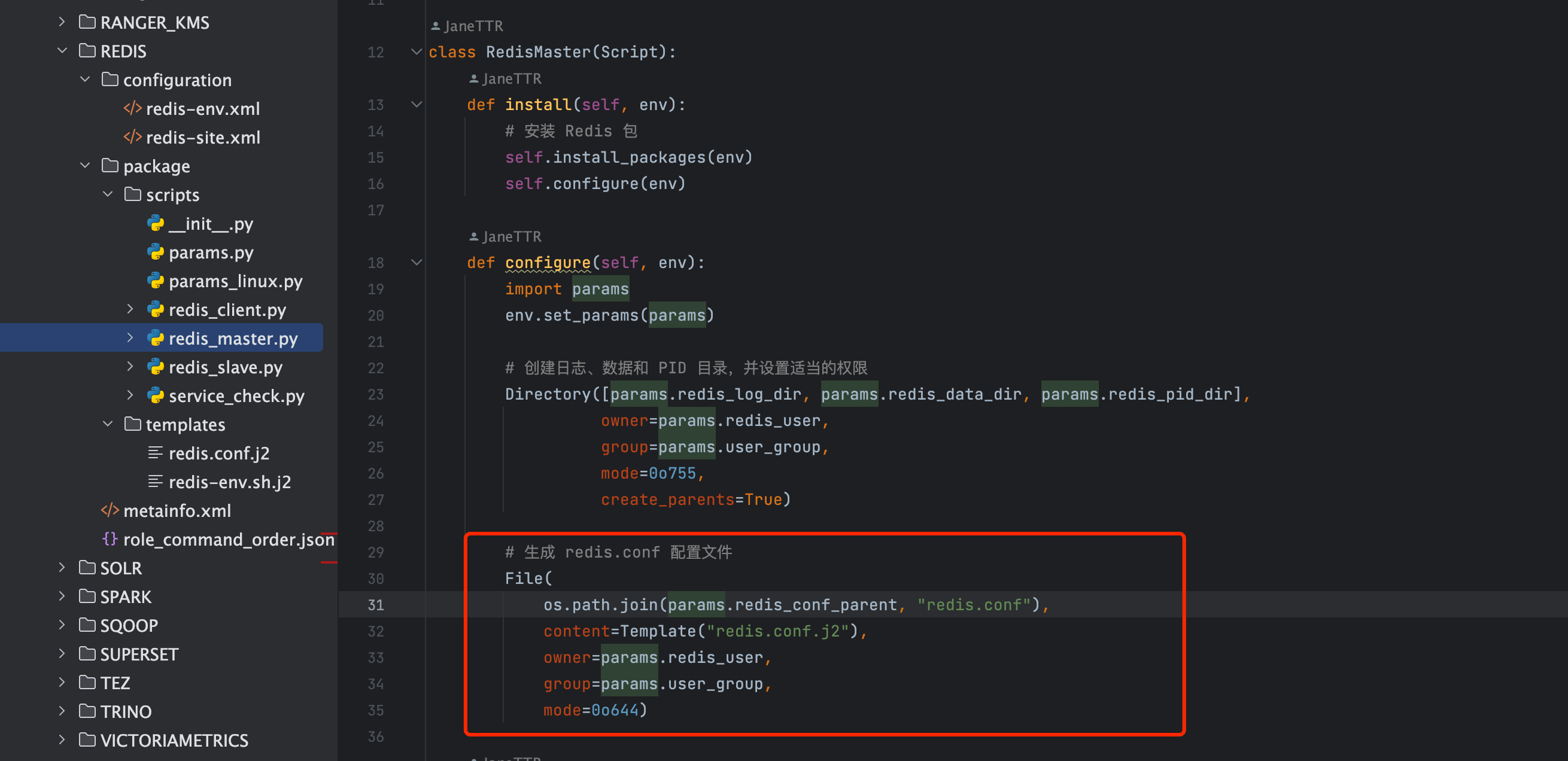 模板并非直接生效,而是由 Ambari Agent 执行 Python 脚本自动渲染。实际流程如下:
- 启动脚本会自动渲染模板,生成最终的 redis.conf 文件。
- 模板变量全部由 params 传入,确保每个节点生成的配置均为当前参数最新状态。
代码示例:
File(
    os.path.join(params.redis_conf_parent, "redis.conf"),
    content=Template("redis.conf.j2"),
    owner=params.redis_user,
    group=params.user_group,
    mode=0o644
)
1
2
3
4
5
6
7
2
3
4
5
6
7
- 这里
Template("redis.conf.j2")表示加载上文的模板文件。 - params 内的所有属性会被自动替换到模板对应的占位变量上。