
 [22202]Hue 启动失败: hadoop 用户不存在
# 一、问题现象
# 1、Ambari 页面启动 Hue 失败
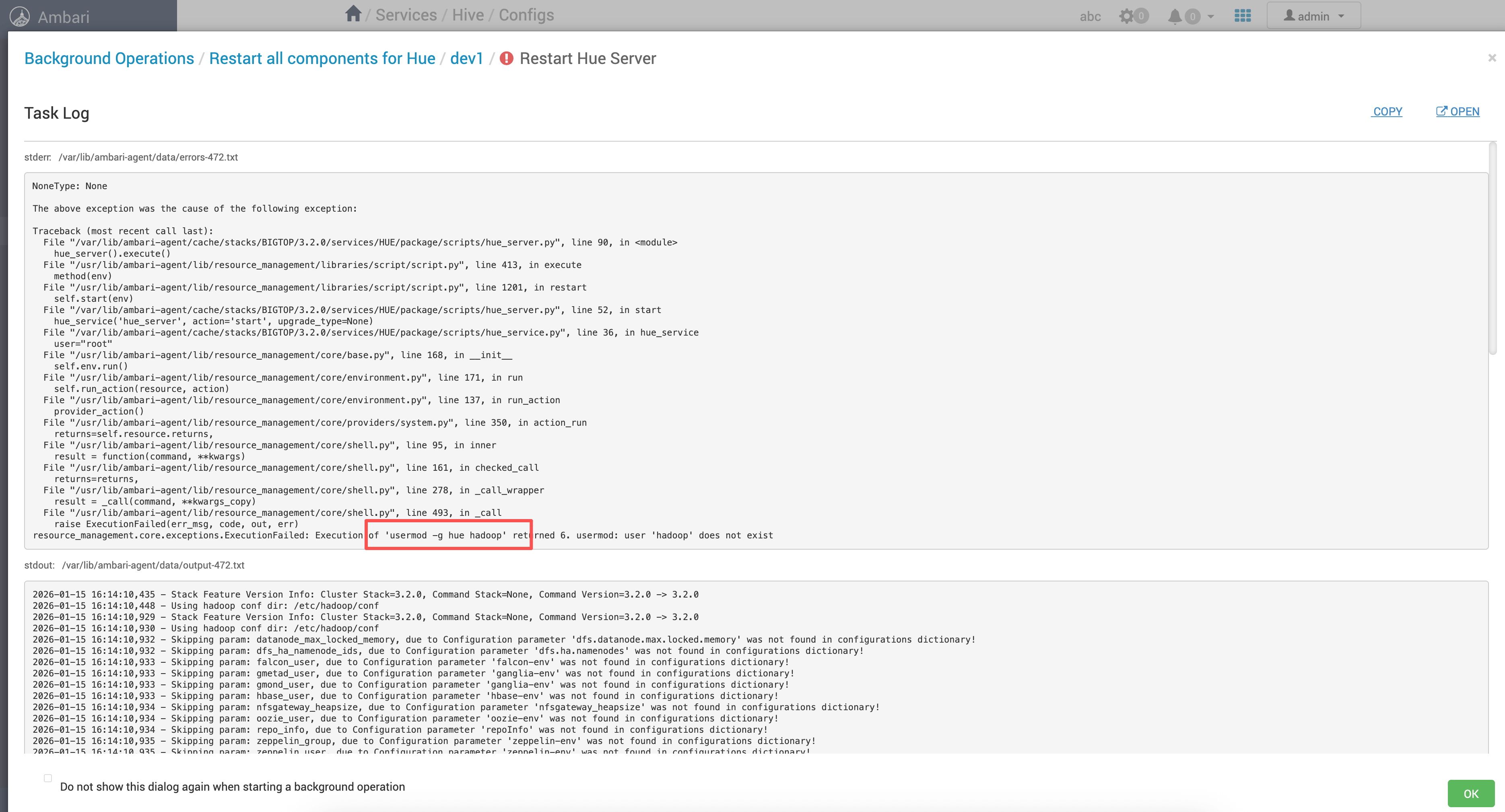
先看最直观的异常:Hue 组件在 Ambari 上点击启动后失败,界面会提示启动异常(截图如下)。
# 2、关键报错堆栈
Ambari Agent 执行 Hue 脚本时抛出 ExecutionFailed,并明确给出失败命令与返回码:
NoneType: None

The above exception was the cause of the following exception:

Traceback (most recent call last):
  File "/var/lib/ambari-agent/cache/stacks/BIGTOP/3.2.0/services/HUE/package/scripts/hue_server.py", line 90, in <module>
    hue_server().execute()
  File "/usr/lib/ambari-agent/lib/resource_management/libraries/script/script.py", line 413, in execute
    method(env)
  File "/usr/lib/ambari-agent/lib/resource_management/libraries/script/script.py", line 1201, in restart
    self.start(env)
  File "/var/lib/ambari-agent/cache/stacks/BIGTOP/3.2.0/services/HUE/package/scripts/hue_server.py", line 52, in start
    hue_service('hue_server', action='start', upgrade_type=None)
  File "/var/lib/ambari-agent/cache/stacks/BIGTOP/3.2.0/services/HUE/package/scripts/hue_service.py", line 36, in hue_service
    user="root"
  File "/usr/lib/ambari-agent/lib/resource_management/core/base.py", line 168, in __init__
    self.env.run()
  File "/usr/lib/ambari-agent/lib/resource_management/core/environment.py", line 171, in run
    self.run_action(resource, action)
  File "/usr/lib/ambari-agent/lib/resource_management/core/environment.py", line 137, in run_action
    provider_action()
  File "/usr/lib/ambari-agent/lib/resource_management/core/providers/system.py", line 350, in action_run
    returns=self.resource.returns,
  File "/usr/lib/ambari-agent/lib/resource_management/core/shell.py", line 95, in inner
    result = function(command, **kwargs)
  File "/usr/lib/ambari-agent/lib/resource_management/core/shell.py", line 161, in checked_call
    returns=returns,
  File "/usr/lib/ambari-agent/lib/resource_management/core/shell.py", line 278, in _call_wrapper
    result = _call(command, **kwargs_copy)
  File "/usr/lib/ambari-agent/lib/resource_management/core/shell.py", line 493, in _call
    raise ExecutionFailed(err_msg, code, out, err)
resource_management.core.exceptions.ExecutionFailed: Execution of 'usermod -g hue hadoop' returned 6. usermod: user 'hadoop' does not exist
1
2
3
4
5
6
7
8
9
10
11
12
13
14
15
16
17
18
19
20
21
22
23
24
25
26
27
28
29
30
31
32
2
3
4
5
6
7
8
9
10
11
12
13
14
15
16
17
18
19
20
21
22
23
24
25
26
27
28
29
30
31
32
现象要点
- Ambari 实际执行的命令是:
usermod -g hue hadoop - 返回码:
6 - usermod 的 stderr:
user 'hadoop' does not exist
# 二、根因定位
# 1、先确认:到底缺的是用户,还是命令语义错了?
usermod 的基本语义是:
usermod -g <主组> <用户名>
也就是说,最后一个参数必须是“用户”,而不是组。
把报错命令拆开看:
| 片段 | 语义 |
|---|---|
-g hue | 把“主组”设为 hue |
hadoop | 被当成“用户名” |
因此,报错 “user 'hadoop' does not exist” 本质是在说:系统里没有 hadoop 这个用户。
但在这类大数据环境里,hadoop 往往是 组(例如大一统的系统组),而不是用户。
所以问题通常不在 “系统缺用户”,而在 把用户/组的位置写反了。
结论
这次属于典型的脚本参数顺序问题:把 “应当作为组的 hadoop” 写成了 “用户名”,导致 usermod 直接失败。
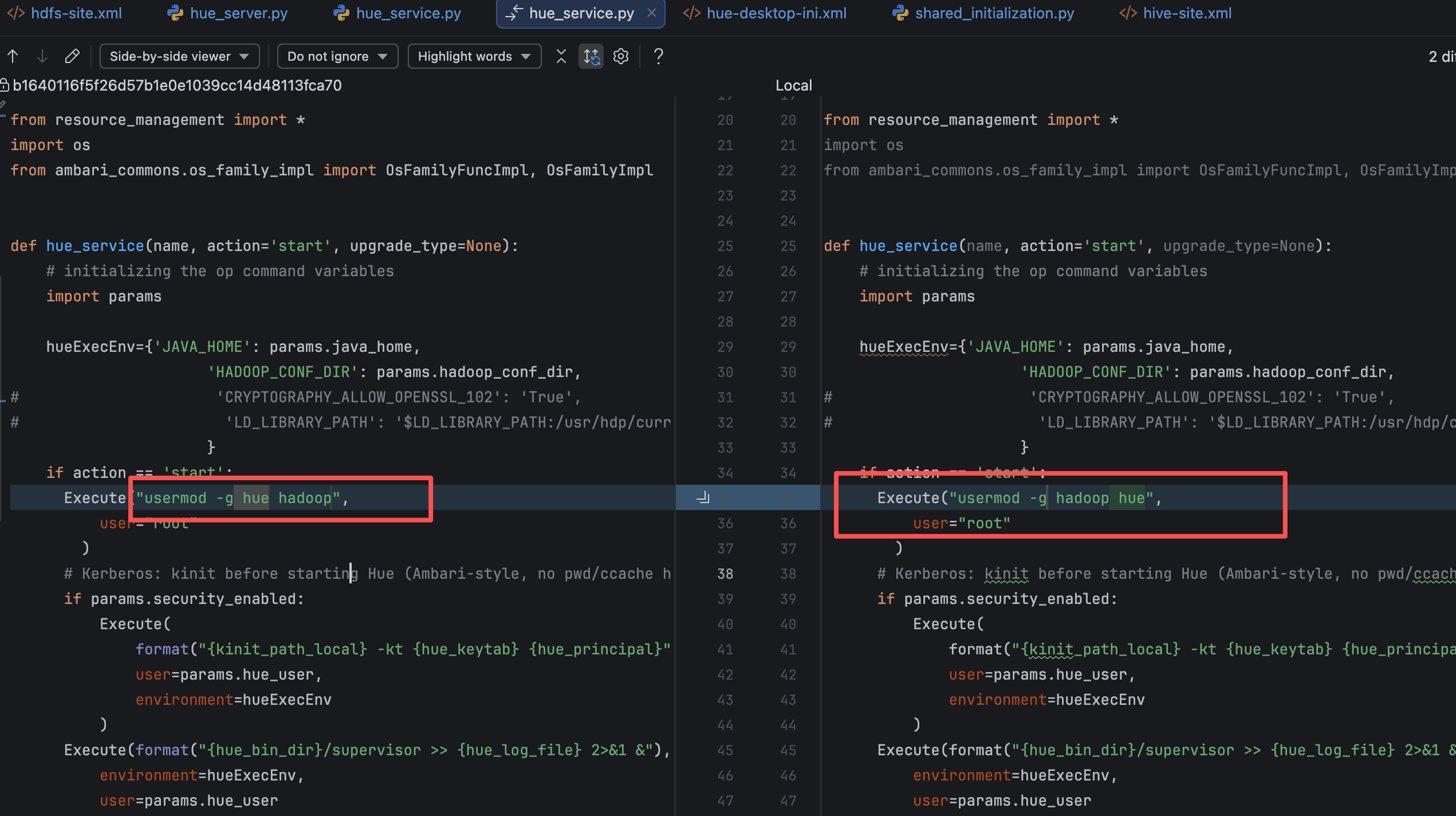
# 2、错误点示意(原始写法写反)
当时脚本写反的意思就是:把 hue 当成组,把 hadoop 当成用户。
# 三、修复方案
# 1、正确命令应该是什么?
目标是把 hue 用户 的主组设置为 hadoop 组,命令应为:
usermod -g hadoop hue
1
也就是:
-g hadoop:主组设为 hadoophue:被修改的用户是 hue
常见混淆
hadoop(很多环境里是组名)hue(这里是用户名) 两者在命令行的顺序错一次,就会出现 “user does not exist / group does not exist” 之类的误导报错。
处理办法可参考
# 五、验证结果
# 1、页面重新启动 Hue
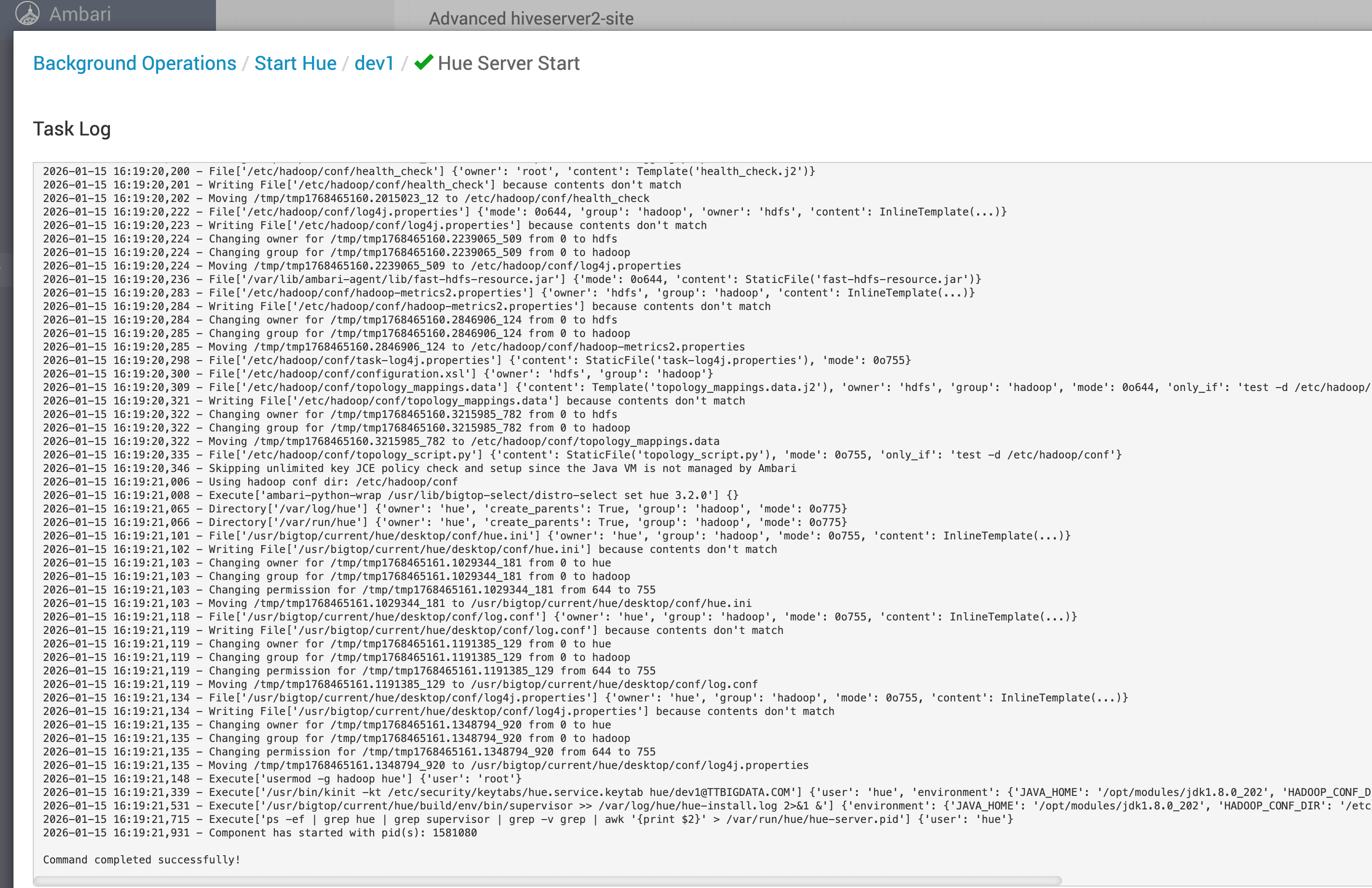
执行 ambari-server restart 后,回到 Ambari 页面再次启动 Hue,启动错误消失,服务可正常拉起(截图如下)。
# 2、快速自检清单
| 检查项 | 命令 | 预期 |
|---|---|---|
| hue 用户是否存在 | id hue | 能输出 uid/gid |
| hadoop 组是否存在 | getent group hadoop | 能返回组信息 |
| hue 主组是否为 hadoop | id hue | gid 对应 hadoop |
建议
遇到 user/group not exist 一类报错时,优先用 id + getent 做“事实校验”,再回到脚本语义核对参数顺序,定位会更快。